
Mission Possible ABA

Project Overview
Mission Possible is an ABA therapy company offering in-home support to youth aged 10-21, helping them develop skills for daily living, self-care, communication, and social relationships.
Timeline
August - October
Problem
My role
UX Researcher,UX Strategist, UI/UX Designer
childish and confusing youth service options
They need a mature, clear, and hassle free experience that reassures them their child will be treated maturely and cared for professionally
The Solution
a Mature, clear, parent friendly experience
Clear information, steamlined steps, and age-appropriate design that builds trust and helps parents feel confident in choosing Mission
Mature User Interface
Builds immediate trust and credibility with parents
Signals professionalism and high quality care
Helps parents feel their older youth will be taken seriously
Makes the service stand out from childish outdated competitors

Tool kit: Figma, Adobe CC, FigJam

Parent-Friendly
Makes it easier fro parents to find information quickly
Reduces overwhelm in already stressful decision-making moments
Shortens the time it takes to understand service
Gives parents the confidence to move forward with next steps
UX Research
White Paper Research
A way to achieve goal with 95% success…
starting with white paper research,I began to draw from research articles on the topic of Parents of children with disabilities and trustworthiness of digital website from the Article
“…only 43% of website for parents with children with disabilities contained trustworthy information, showing a clear need for a mature, parent - friendly interface” (Curtis et al., 2020)
Competitive Analysis + The Gap
most competitors lack a mature, Parent centered interface
While keeping the above statistics in mind,I analysed 3 more websites surrounding this goal. I found out that only one of them had the aspect of clear mature and interface to help the user achieve their goal.This became my opportunity for the solution.



User Interviews
Heading
RESEARCH QUESTIONS
How do you currently search for ABA services for your child or teen?
What frustrates you or slows you down when using ABA websites?
How do you feel when a website looks childish or overly playful for older youth?
What information and layout help you feel calm, confident, and supported?
What makes you trust or distrust an ABA provider based on their website?
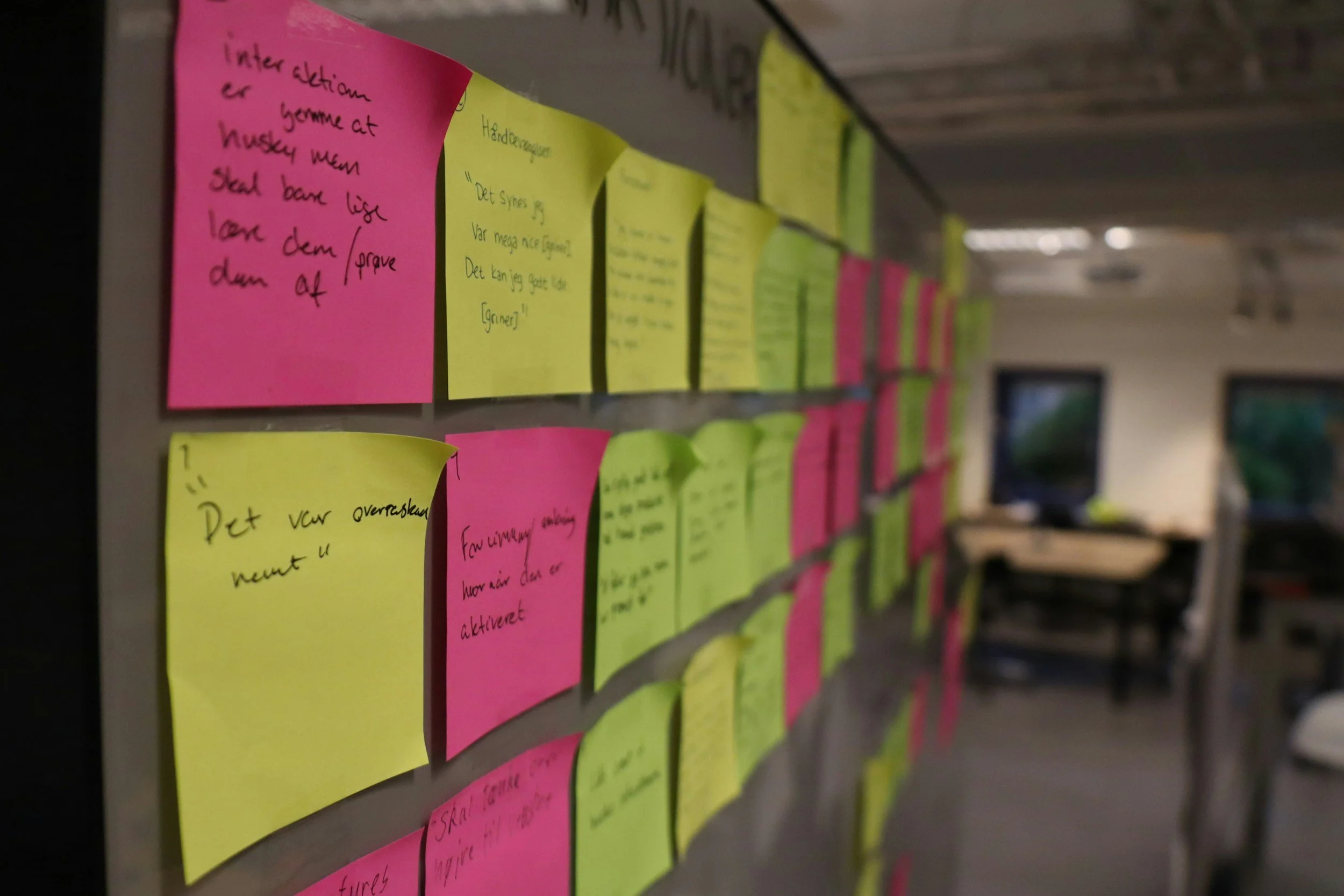
The main Insights
Parents need a mature, clear, and trustworthy aba website
Based on usability testing and competitive analysis, parents of older youth experience frustration with cluttered, child-like websites and want a calm, professional, and easy to navigate interface that instills trust.
Testing + Improvement
3 Major improvements in my design
Through continuous iteration, I refined the design by creating a more mature interface, organizing information more clearly, and simplifying navigation to better support parents seeking ABA services.

Shift to a Mature, Parent-Centered Interface
Removed playful, child-like visuals that didn’t match the needs of older youth.
Introduced calm colors, simple typography, and a more professional tone.
Improved first-impression trust and reduced emotional overwhelm for parents.
Shift to a Mature, Parent-Centered Interface
Removed playful, child-like visuals that didn’t match the needs of older youth.
Introduced calm colors, simple typography, and a more professional tone.
Improved first-impression trust and reduced emotional overwhelm for parents.
The Final Screens
The Final Product
4-5 screens and prototype embedded
Major insights
Theme 1: Overwhelming and child-like interfaces
Most websites use bright colors, playful graphics, or animations aimed at young children
Parents of older youth feel these designs are inappropriate and reduce trust
Theme 2: Difficulty Finding Key Information
Clearer Information Hierarchy
Restructured content so parents can quickly find services, insurance, and scheduling.
Added stronger section labeling and simplified page layouts.
Reduced cognitive load and decision fatigue during navigation.
Parents struggle to locate essential information (services, insurance, scheduling) quickly.
Poor navigation and text-heavy pages create decision fatigue.
Theme 3: Need for Trust and Emotional Calm
Parents value a calm, professional interface that reassures them about the quality of care.
Trustworthy design elements (clean layout, clear labeling, professional tone) significantly influence their confidence to contact the organization.
The Mom with a teenager with ASD Persona

38 year old | Administrative Assistant
User Story
As a parent of an 11-year-old receiving ABA therapy, I want to quickly find clear, reliable information about services so I can make confident decisions for my child.
Goals
Access ABA services information efficiently and confidently.
Navigate a calm, professional website that respects older children.
Motivation
Reduce stress and frustration while searching for therapy options.
Feel reassured that the provider is trustworthy and professional.
Pain Point
Competitor websites are too child-like or cluttered.
Hard to locate key information like services, insurance, or scheduling.
Overwhelmed by too many graphics, animations, or confusing menus..
Setbacks + a new direction for the mission possible redesign
I initially explored multiple visual directions, including playful, colorful layouts and highly clinical designs. However, both options either felt too childish for older youth or too overwhelming for stressed parents. I pivoted to a mature, calm, parent-centered interface that better supports trust and clear decision-making.Overwhelmed by too many graphics, animations, or confusing menus..
Style guide
link to my full figma work here
Conclusion + Lesson Learned
What I’d do differently next time
This was my first full website built entirely from scratch (outside of redesigns), and the process taught me a lot about structuring content, choosing a clear design direction, and supporting users’ emotional needs from the beginning. Moving forward, I would refine my approach in a few key ways:
Expand usability testing: I did testing with a small group of parents, but next time I’d include a wider variety of users earlier in the process to capture more perspectives and validate decisions before finalizing key features.
Establish design direction sooner: I experimented with several visual styles before settling on a mature, calm interface. Next time, I’d lock in the design direction earlier to save time and focus iterations on refining the chosen path.
Plan content hierarchy upfront: I iterated on page layouts as I went, which sometimes slowed the design process. Next time, I’d map out the information architecture earlier so that visuals and navigation could be built around a solid, well-organized structure from the start.
I hope you enjoyed exploring this project! I’m always open to feedback, collaboration, or just a good conversation about UX. You can reach me at eskaychinaza8@gmail.com
Thank you for reading!